2026
Peek: AI Powered Visual Inventory App
B2C
iOS
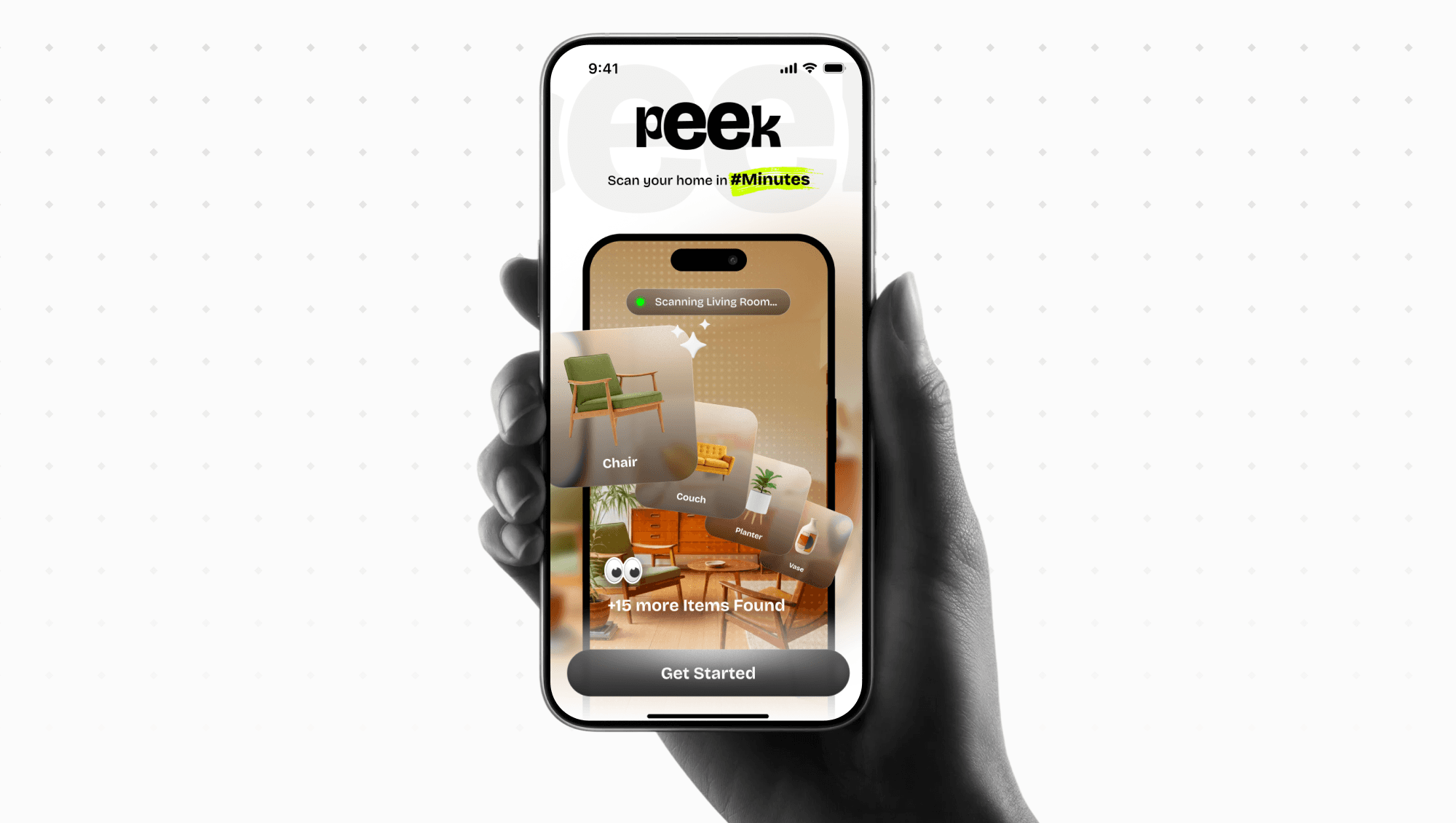
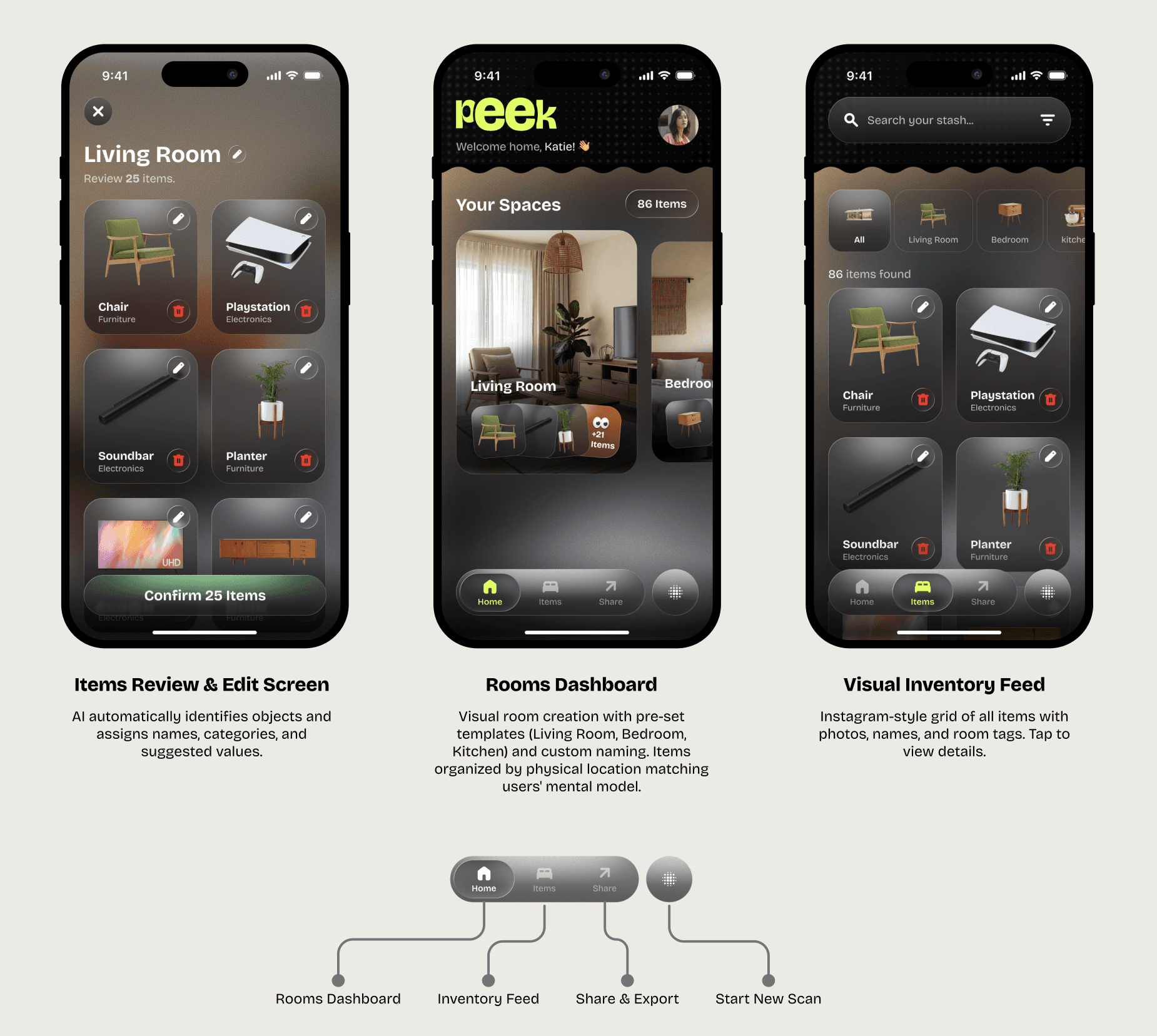
Peek is an AI-powered visual inventory app that helps users instantly scan, organize, and catalogue household items. It removes the friction of manual inventory tracking and makes it easy to find, share, and organize items by space.
Timeline
2 Weeks
My Role
Lead Product Designer
Team
1 Product Designer, 1 Product Manager, 1 iOS Developer
Situation
Users struggle to track household items across rooms, especially for insurance, relocation, rentals, or decluttering.
Existing inventory apps are manual, time-consuming, or enterprise-focused.
No lightweight consumer product offered visual-first, room-based inventory management.
Task
Design an intuitive consumer app that:
Allows fast item capture using the camera
Automatically categorizes and tags items
Organizes inventory by rooms/spaces
Feels simple enough for non-technical users
Action
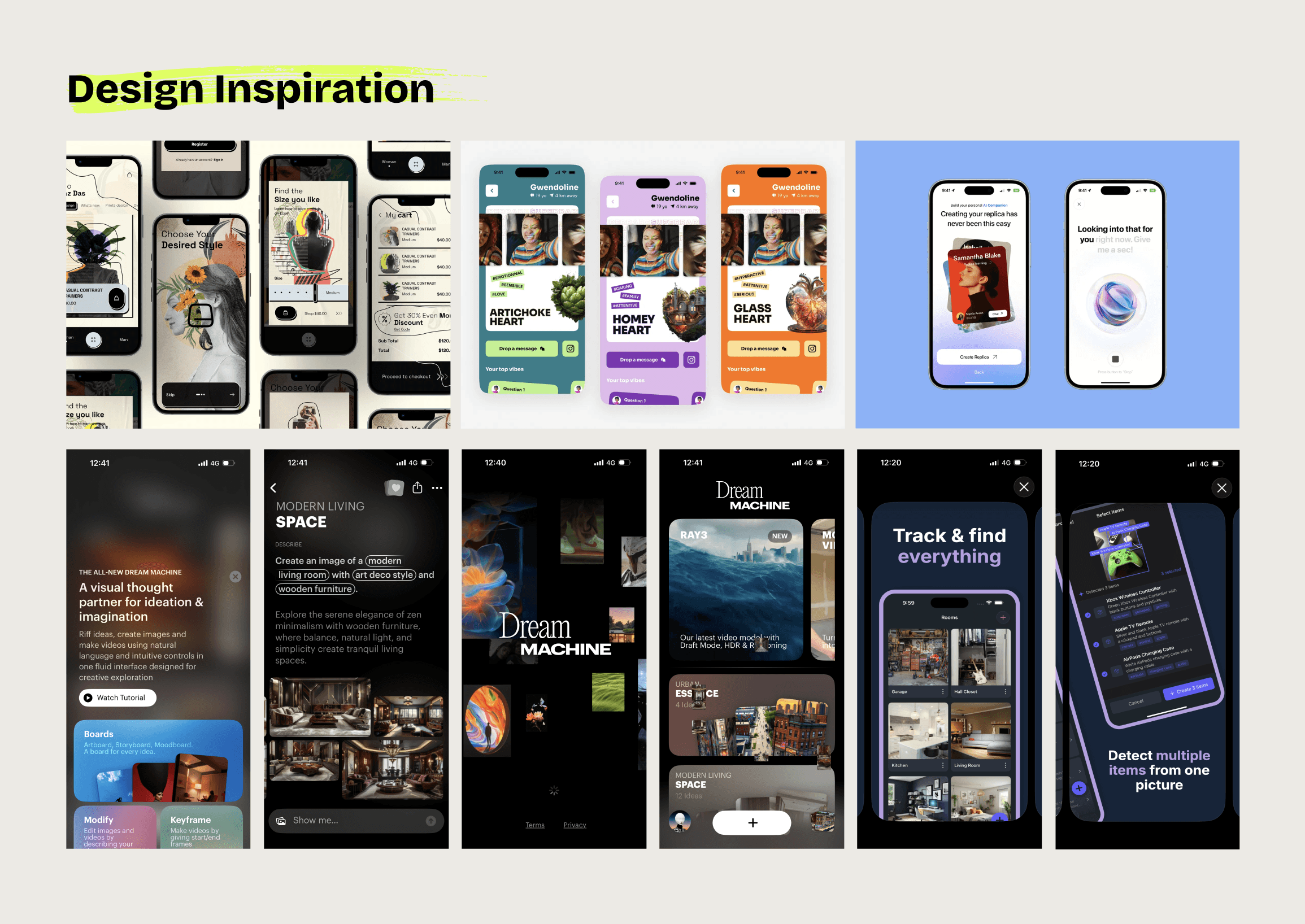
Conducted competitive analysis to identify gaps in consumer inventory tools (manual effort, poor UX, lack of AI).
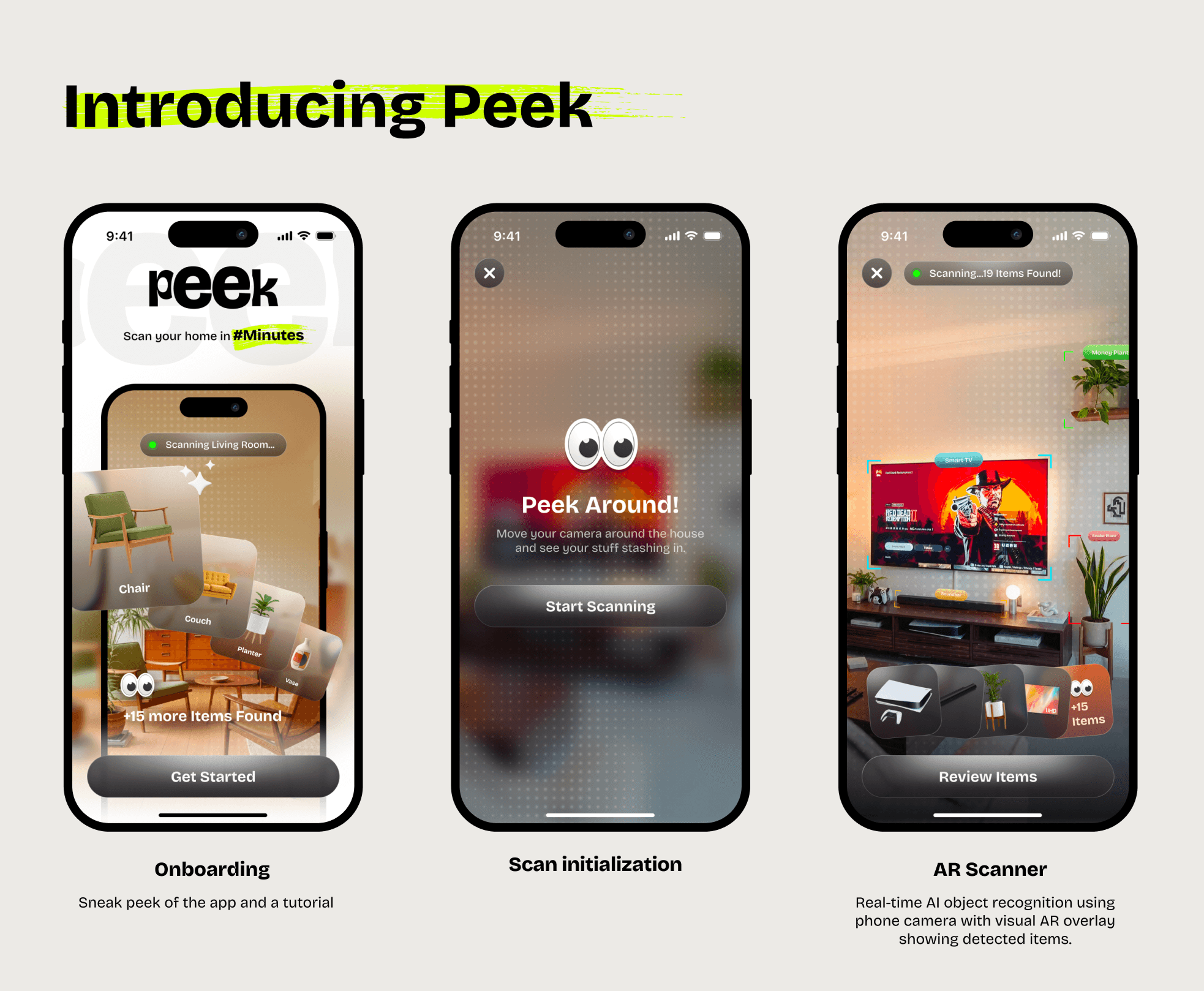
Defined a camera-first flow to minimize typing and cognitive load.
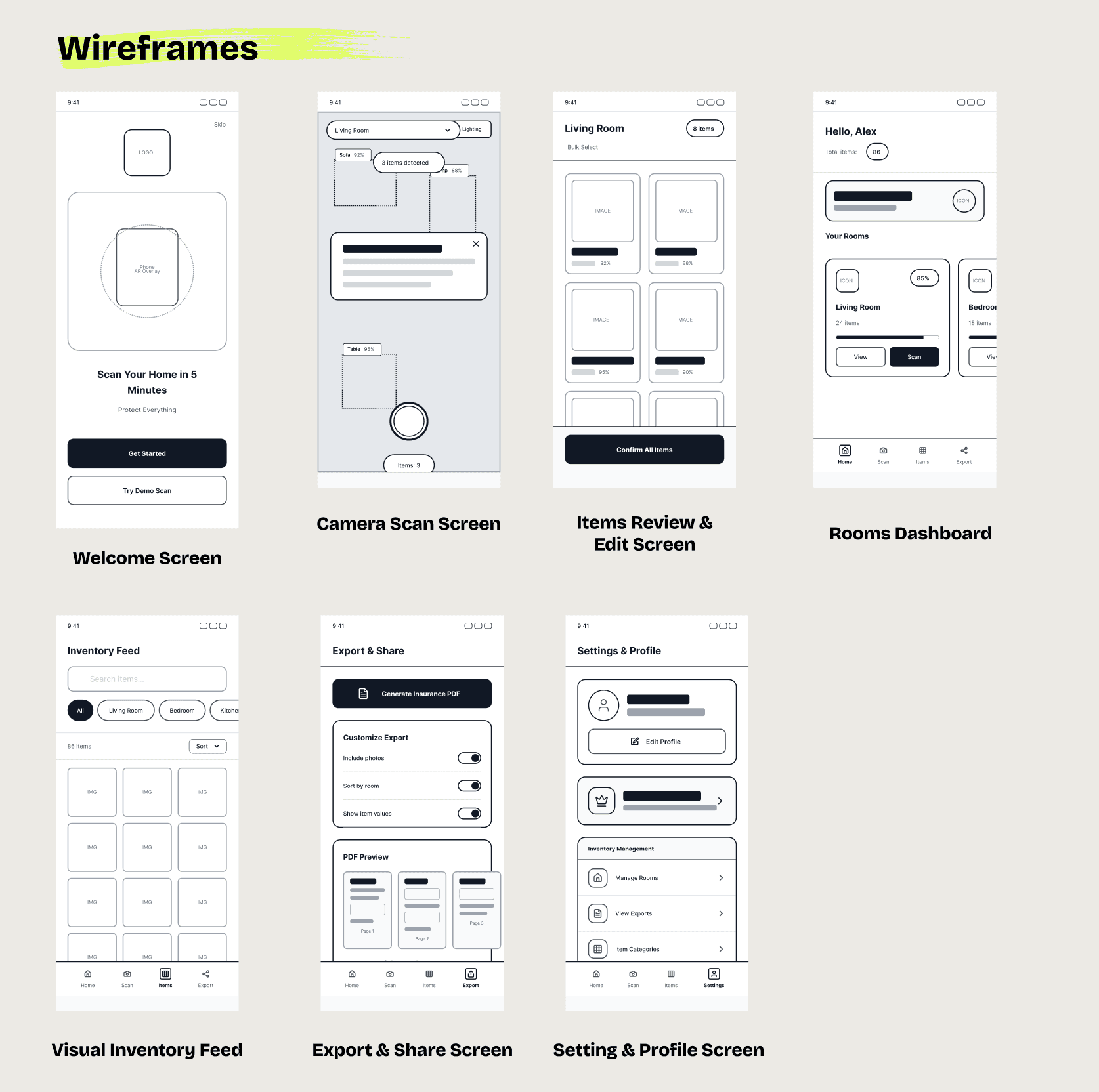
Designed end-to-end journeys
Used inspiration from modern camera, AR, and content apps to make scanning feel delightful.
Designed scalable IA to support future features like value estimation, OCR, and collaboration.
Result
Reduced inventory creation time from minutes per item → seconds per scan.
Enabled users to catalogue entire rooms in one session, not item-by-item.
Created a clear foundation for monetization via exports, insurance use cases, and premium features.
Delivered a prototype ready for usability testing and validation.
Launch and Impact
Efficiency & Speed
⏱️ 80–85% reduction in inventory creation time
Manual apps: ~60–90 sec per item
Peek scan flow: ~10–15 sec per item
📦 1 full room cataloged in under 2–3 minutes
Avg. 12–15 items per room in a single scan session
User Effort Reduction
✍️ ~70% less manual input
Auto-detected item name, category, and room
Manual edits required only for edge cases
🧠 Reduced cognitive load
Camera-first flow eliminates form-heavy steps (5–7 fields → 1 review screen)